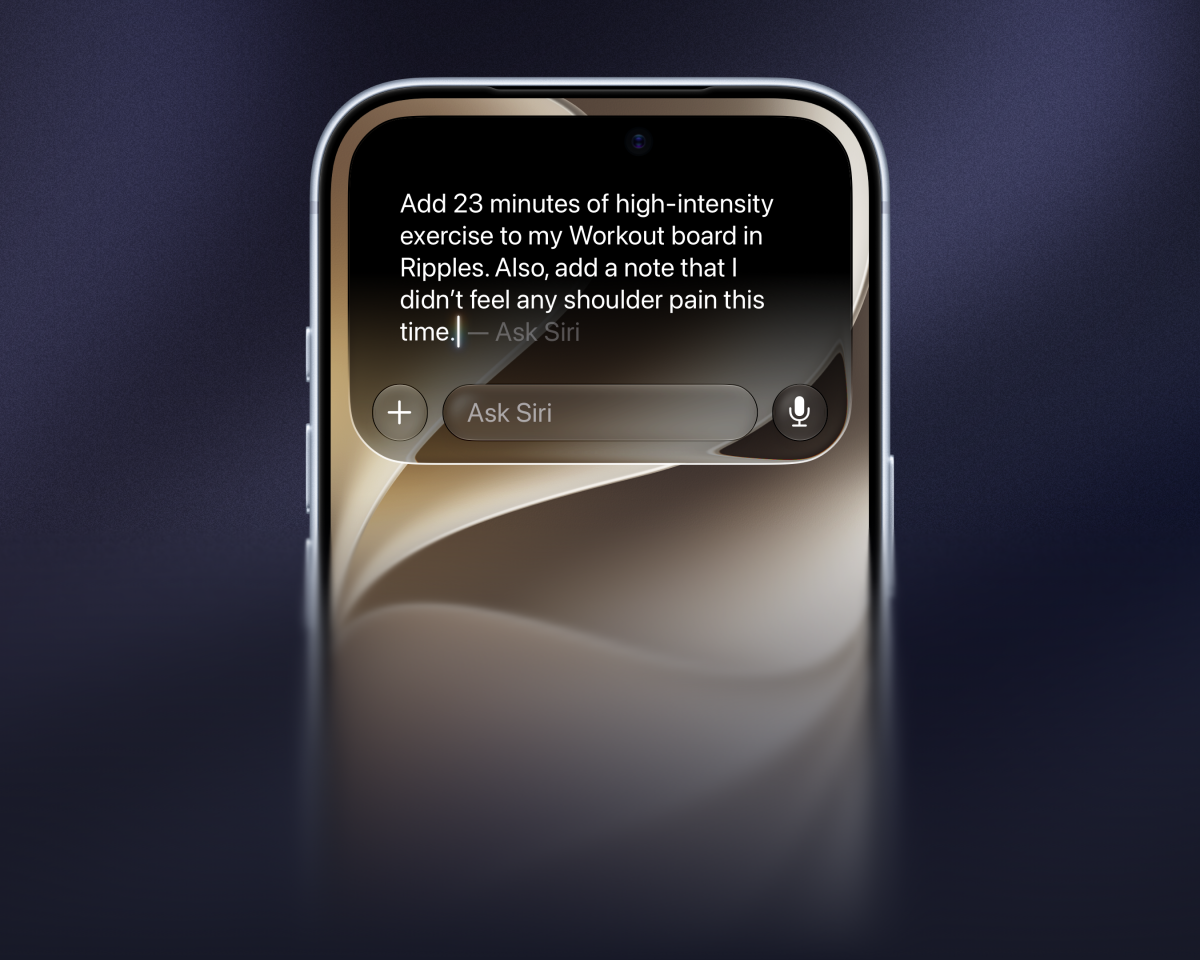
Ripples already had great support for Siri and Apple Intelligence throughout iOS, and now that support extends to Siri AI with onscreen awareness and more natural voice interactions.
You can ask Siri AI to check in the actions you're tracking from anywhere in iOS with additional details like the time of the check-in and an optional note. Or ask for a daily summary with phrases like "How many cups did I track on my Coffee board?" or "Did I already track Journaling in Ripples?"
When inside the app, Ripples tells Siri AI what's on the screen so it can reason about your boards and take actions on your behalf.
All your active boards are now also searchable through Spotlight from anywhere. It will take you straight to the board details.
Extra-Large Widgets
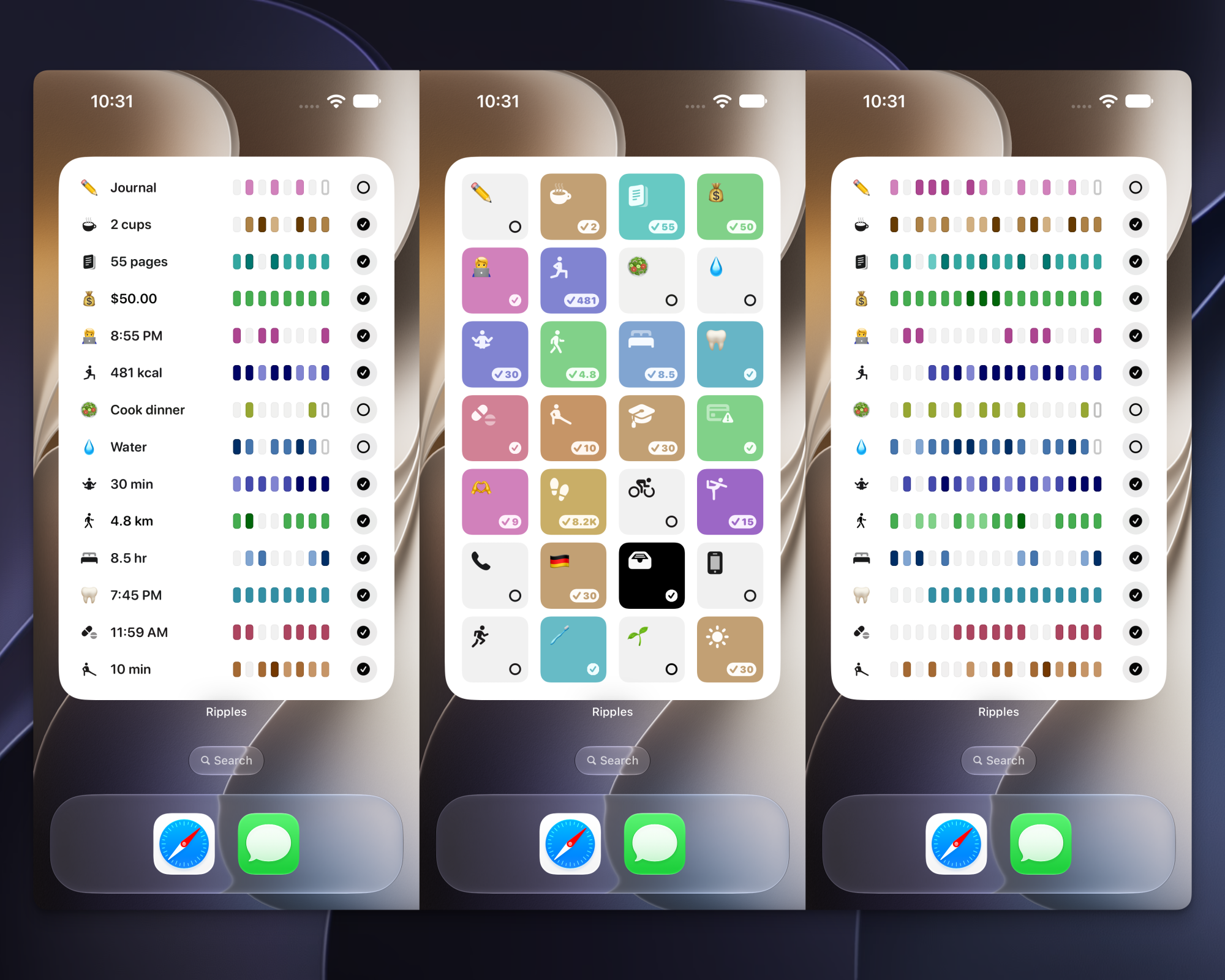
iOS 27 added support for extra-large widgets on the Home Screen in case you're ready to dedicate a whole page to a single widget. Dashboard and List widget styles in Ripples now support this new size and they fit up to 28 boards.
September 2, 2026
More Board Insights
Average Amounts
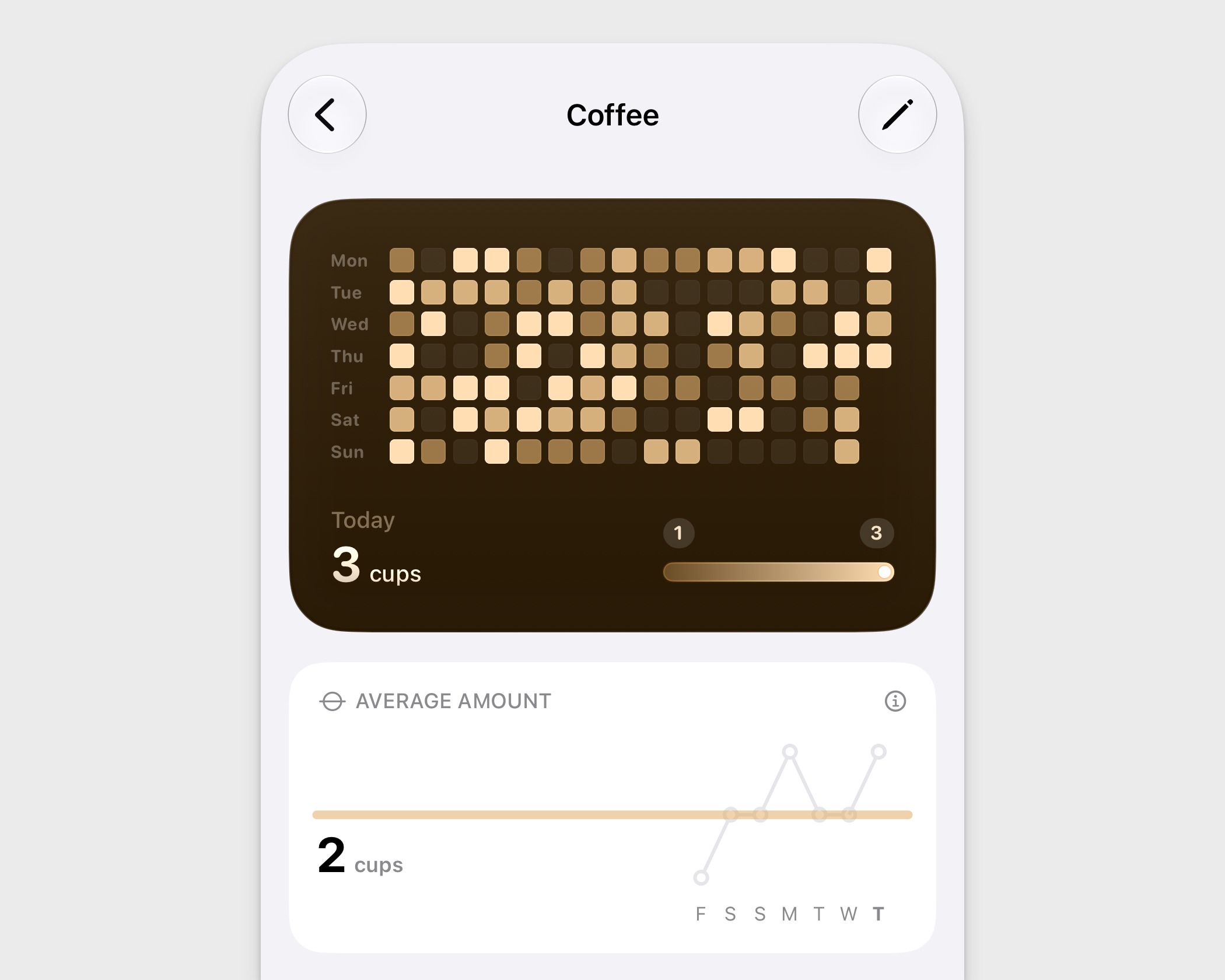
Boards that track amounts like duration, weight, money, and other quantities now highlight the total amount for the latest tracked day and show how it compares to the minimum and maximum historical values.
Additionally, there is a new Average Amount chart showing how the tracked amount changed over the last 7 days and the overall daily average value for the entire history of the board.
Monthly Average Check-ins
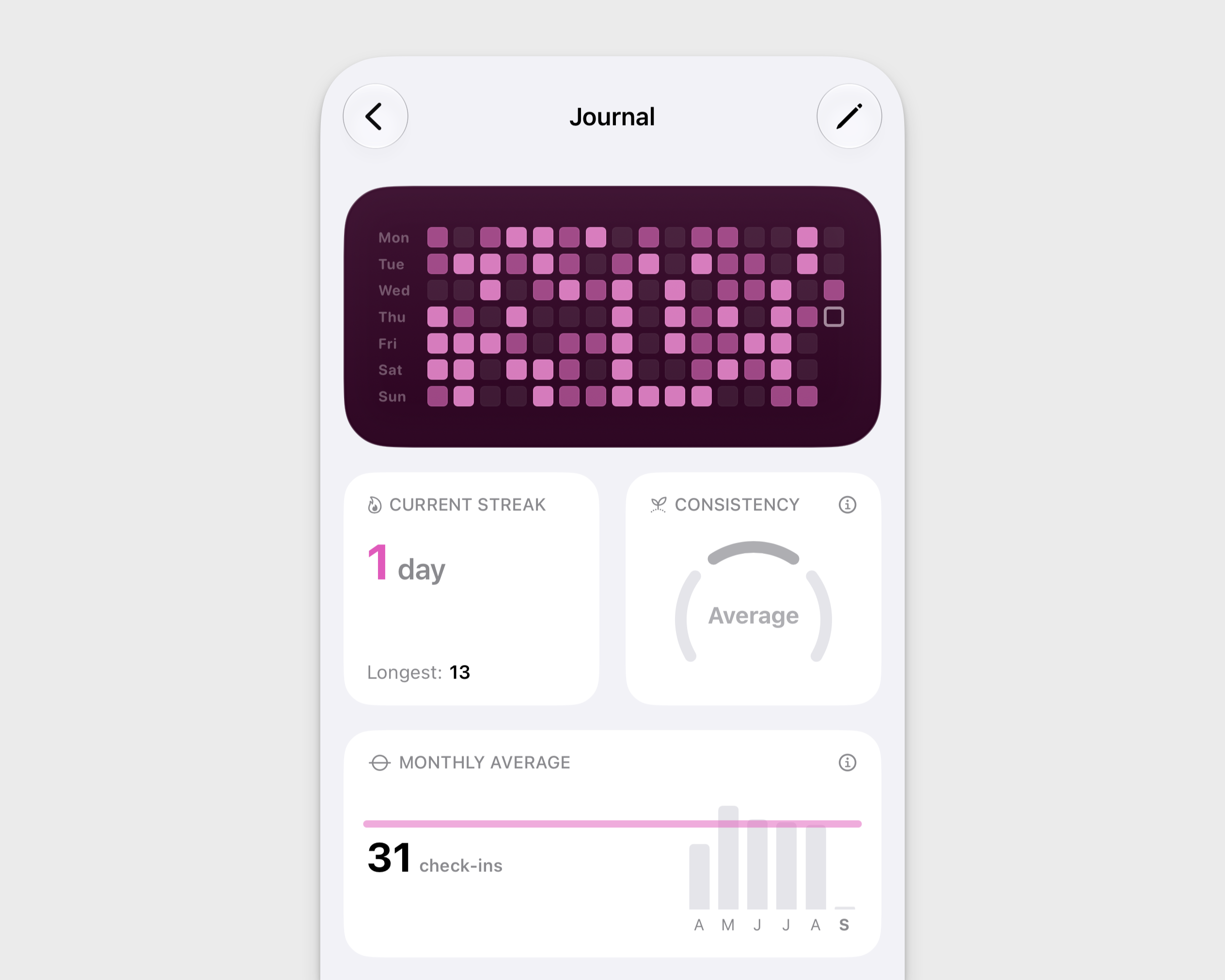
For boards that only track check-ins and don't have amounts, there is also a new Monthly Average chart with the total number of check-ins for the last 6 months and the overall historical monthly average overlaid on top.
Facts Summary Table
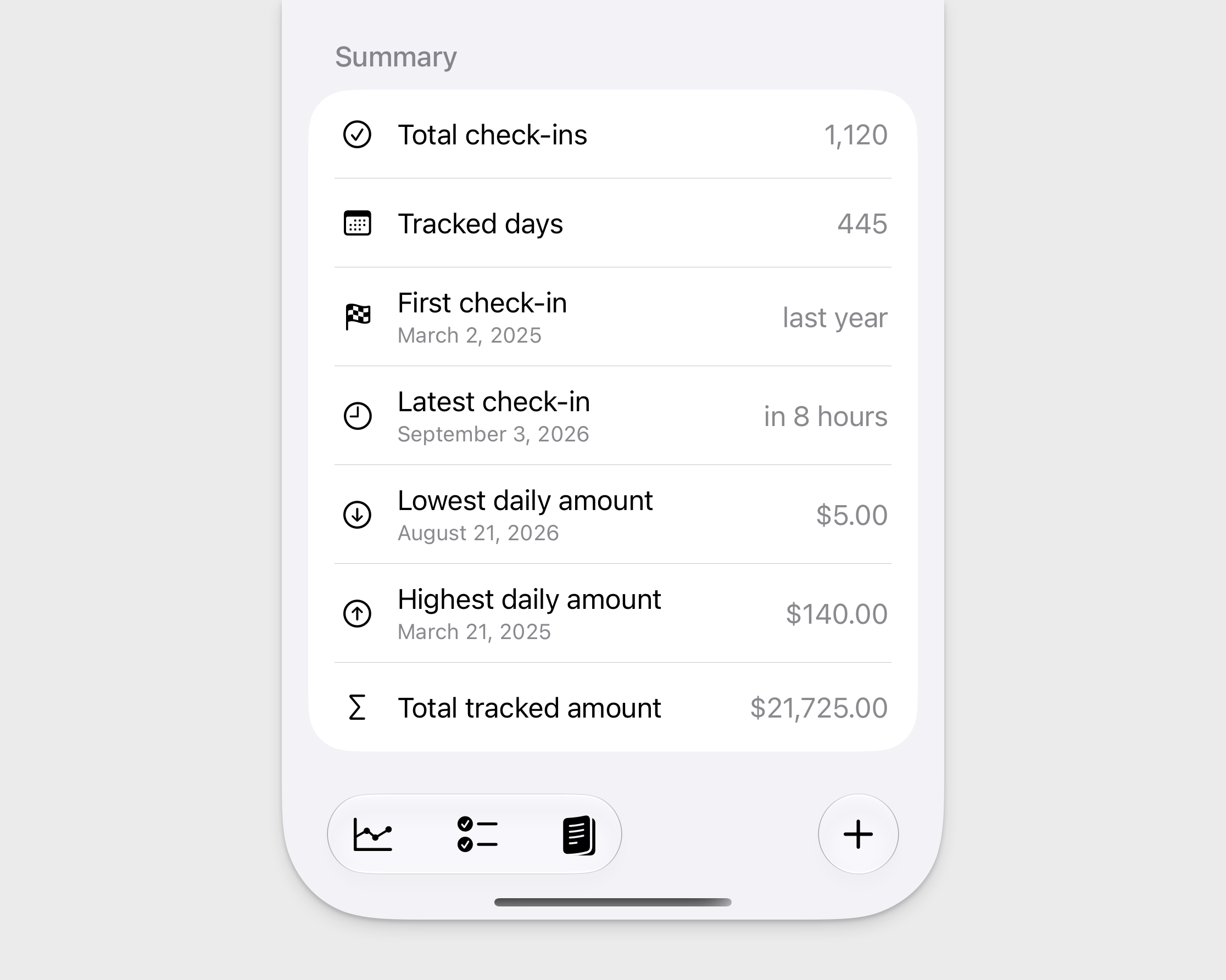
All board types also get a new Summary section with figures like the total number of tracked days, minimum and maximum amount values, and others.
June 15, 2026
Localization for 10 More Countries
Ripples was localized for more countries to make the app more accessible and comfortable to use for more people.
Request for feedback
Ripples is being built by a single person, so ensuring the best translation quality for all countries is really challenging. If you're willing to help me improve the translations, please reach out. I'd be happy to give you a free lifetime unlock for the app as a thank you.
May 29, 2026
Multi-Board Widget Style
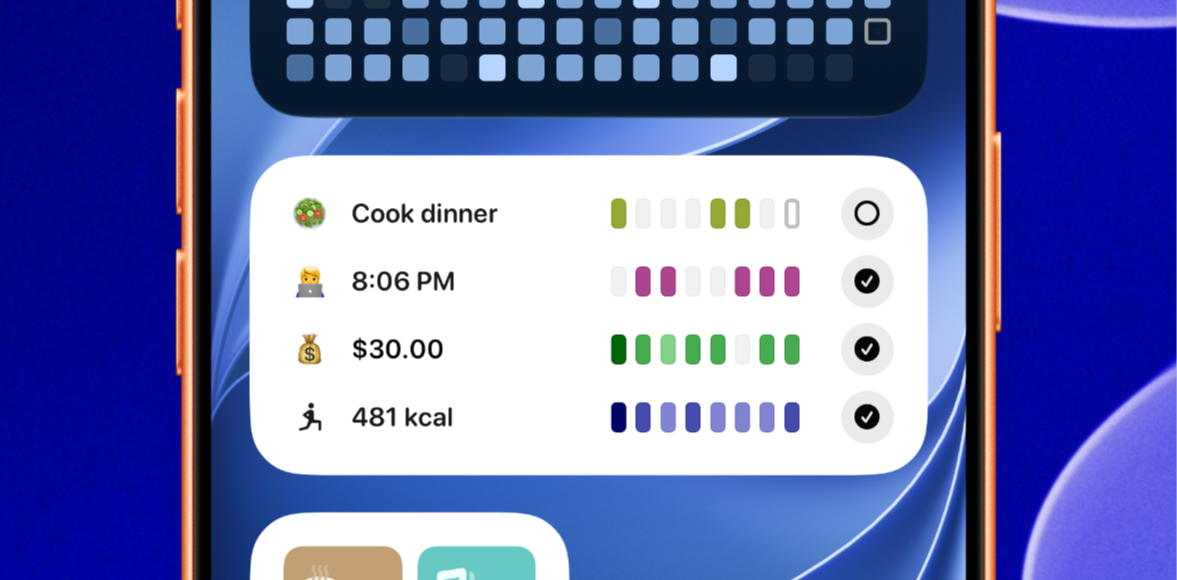
The new multi-board widget style displays boards in a compact list and fits up to 8 boards on a single widget. It shows the board information, progress indicator, and check-in button.
Additionally, you can configure it to hide the board information and show only the progress bars for a super-minimal look.
May 12, 2026
Minimal Layout
The main gallery view can now fit more boards with the new minimal layout, which uses a progress bar indicator instead of the full calendar grid.